




Digital Math for Kindergarten | Tally Marks | Google Slides™
Number of Pages: 32
File Type(s):
- Google Apps
$0.00
Why buy on my website
- Prices in Canadian dollars, so there’s no currency conversion on your card
- Digital lessons open as your own copy. No Google Drive access needed
- Early access to new releases for website customers
- Made by a former Ontario Kindergarten teacher and a small Canadian business
Kindergarten Digital Tally Marks Activities | Google Slides™ | Ontario-Aligned
Looking for engaging, interactive tally mark activities for Kindergarten?
These no-prep Google Slides™ activities help students build foundational data management and number sense skills through hands-on tally mark practice, class surveys, counting, comparing, and representing quantities.
Designed for whole-group instruction, math centres, small groups, or independent practice, this resource makes teaching tally marks visual, interactive, and easy to implement.
Simply project the slides on your SMARTBoard or assign them digitally through Google Classroom™.
Why Teachers Love This Resource:
✔ No prep — just project or assign
✔ Interactive drag-and-drop activities
✔ Strong visual support for early learners
✔ Builds counting and grouping understanding
✔ Encourages math talk and class discussion
✔ Whole-group, centre, and small-group friendly
✔ Ontario 2026 aligned
What’s Included:
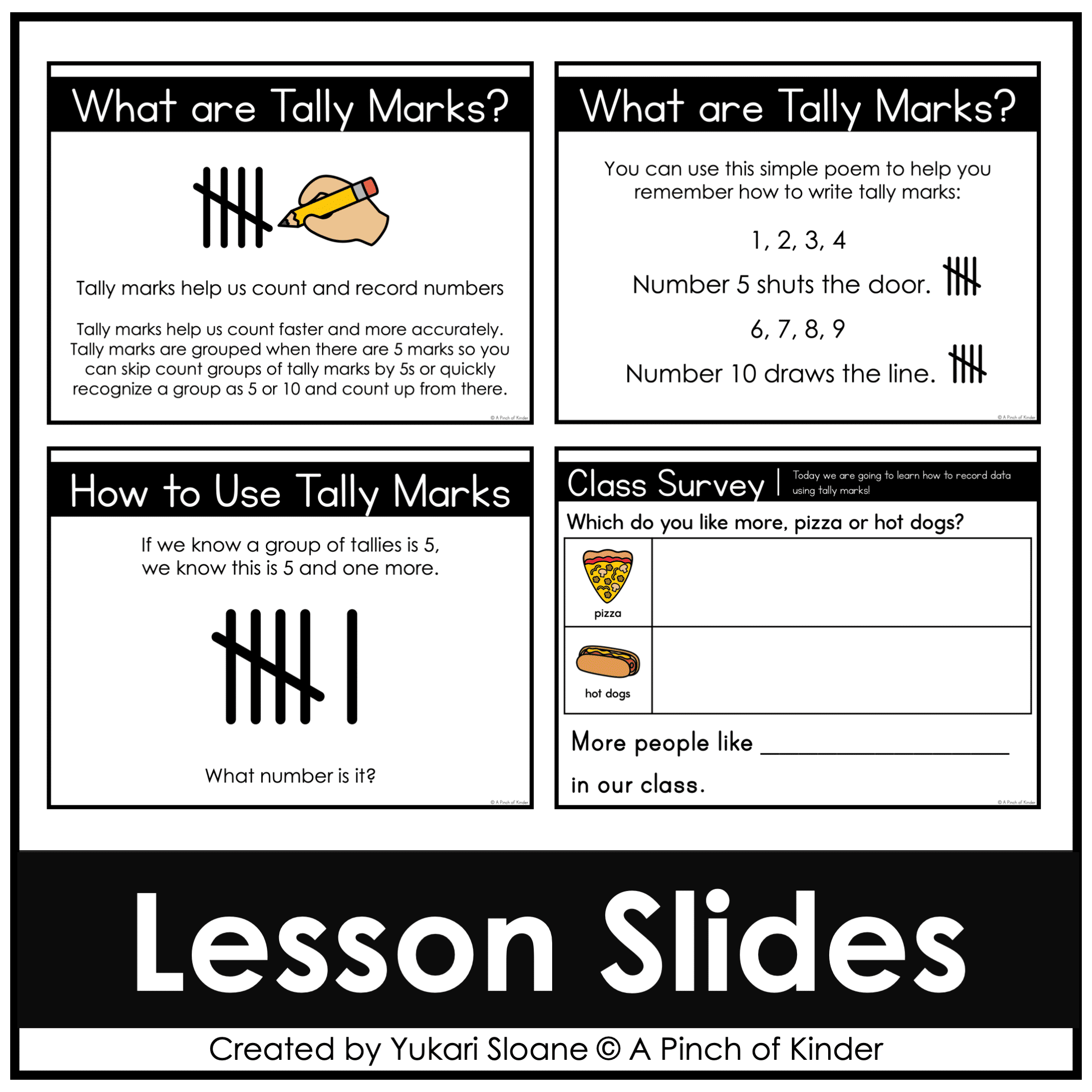
⭐ Let’s Learn About Tally Marks
Direct instruction slides introduce:
- what tally marks are
- how tally marks are grouped
- how tally marks represent quantities
- counting groups of 5
Students learn how to read and create tally marks using visual models and guided practice.
Tally Mark Activities:
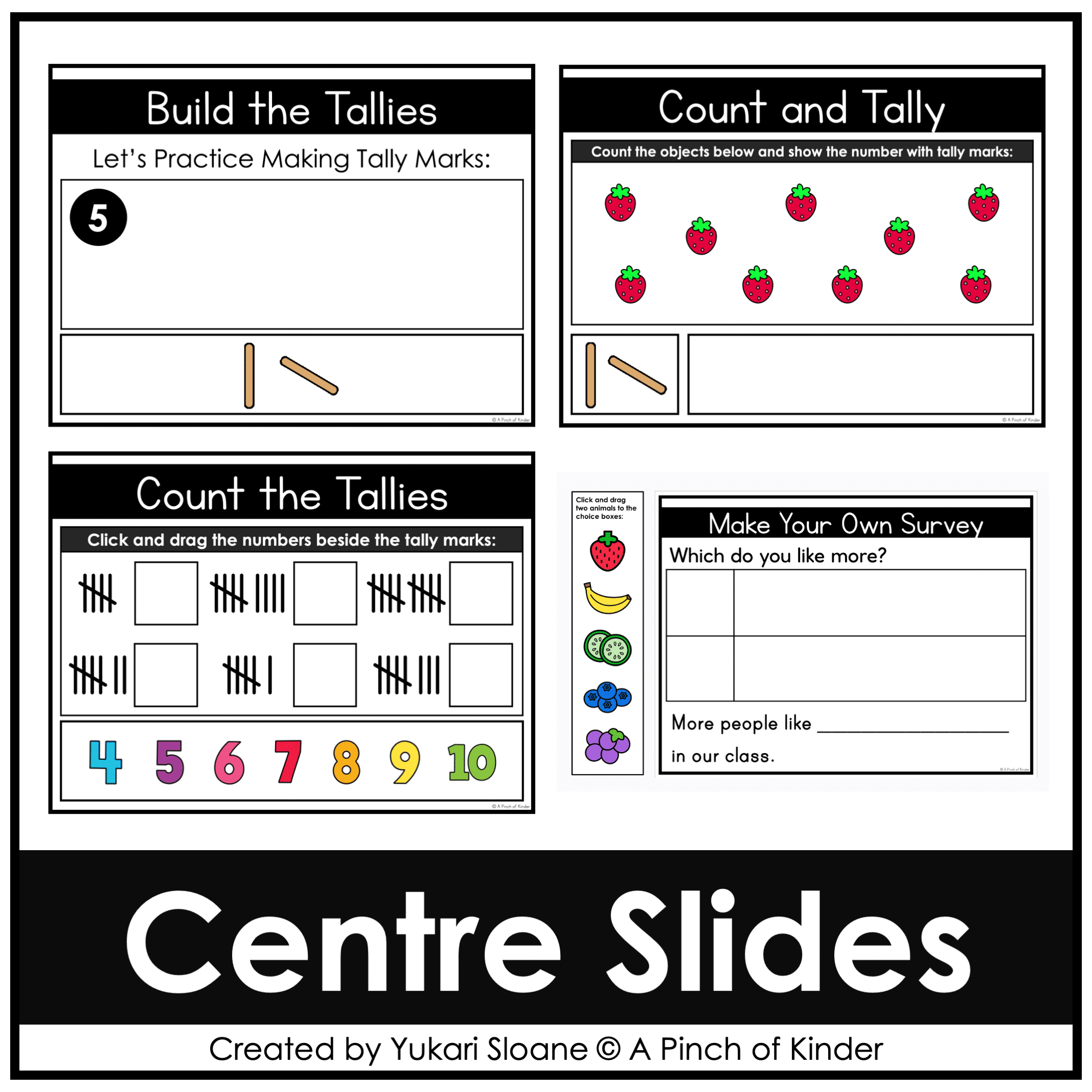
⭐ Build Tally Marks
Students:
- count objects
- drag tally marks to represent quantities
- practice grouping by 5
Builds foundational counting and grouping skills.
⭐ Count & Tally
Students:
- count objects
- drag and place “popsicle sticks” to represent the number with tally marks
Reinforces 1:1 correspondence and representing numbers with tally marks.
⭐ Counting Tallies
Students:
- count tally marks
- drag and drop the correct number beside each set
Supports 1:1 correspondence and counting on/back from 5.
⭐ Class Surveys & Graphing Discussions
Interactive class survey slides encourage students to:
- collect classroom data
- record responses using tally marks
- compare results
- discuss which choice has more
Perfect for whole-group math talks and oral language development.
⭐ Interactive Choice Slides
Students:
- drag pictures into categories
- create their own tally mark survey topics
- discuss and compare results
Great for SMARTBoard centres and collaborative learning.
Perfect For:
✔ Whole-group math lessons
✔ Digital math centres
✔ Small-group instruction
✔ SMARTBoard activities
✔ Google Classroom assignments
✔ Distance or hybrid learning
Skills Covered:
✔ Reading tally marks
✔ Creating tally marks
✔ Counting quantities
✔ Grouping by 5
✔ Comparing quantities
✔ Class surveys & data collection
✔ Oral language & math talk
Tech Tips:
- Use in EDIT mode (not Present mode) so movable pieces work correctly.
- If assigning through Google Classroom™, students using iPads or tablets must have the Google Slides™ app installed to drag movable pieces.
- You may also download the file as a PowerPoint to use on a SMARTBoard.
Love this lesson style?
This freebie is part of my Year-Long Kindergarten Digital Math Bundle:
✔️ Whole-group math lessons
✔️ Interactive Google Slides™
✔️ Predictable routines
✔️ Ontario-aligned
✔️ Covers all math strands
Only logged in customers who have purchased this product may write a review.



Reviews
There are no reviews yet.