




Digital Math for Kindergarten | Probability Activities | Google Slides™
Number of Pages: 52
File Type(s):
- Google Apps
$7.50
Why buy on my website
- Prices in Canadian dollars, so there’s no currency conversion on your card
- Digital lessons open as your own copy. No Google Drive access needed
- Early access to new releases for website customers
- Made by a former Ontario Kindergarten teacher and a small Canadian business
Save with a Bundle!
This product can also be found in:
-
Sale!
Ontario Kindergarten Digital Math Bundle | Term 2 Google Slides™ Lessons
Original price was: $87.00.$62.50Current price is: $62.50. -
Sale!
Ontario Kindergarten Math System | Year-Long Curriculum | Printable + Digital
Original price was: $478.00.$260.00Current price is: $260.00. -
Sale!
Year-Long Digital Kindergarten Math | Google Slides™ Math Bundle
Original price was: $185.00.$109.00Current price is: $109.00.


Kindergarten Digital Probability Activities – Math for Google Slides™ | Ontario 2026 Aligned
Looking for interactive kindergarten probability activities you can use for digital math centers, whole-group lessons, or distance learning?
This Google Slides™ probability resource gives your students hands-on drag-and-drop practice exploring early probability concepts such as always, sometimes, never, possible vs. impossible, and certain, likely, and unlikely.
Students analyze real-life situations, make predictions, and explain their thinking using probability vocabulary.
Perfect for:
✔ Whole-group teaching on the SMARTBoard or projector
✔ Digital math centers
✔ Google Classroom assignments
✔ Distance learning
✔ Hybrid classrooms
What’s Included:
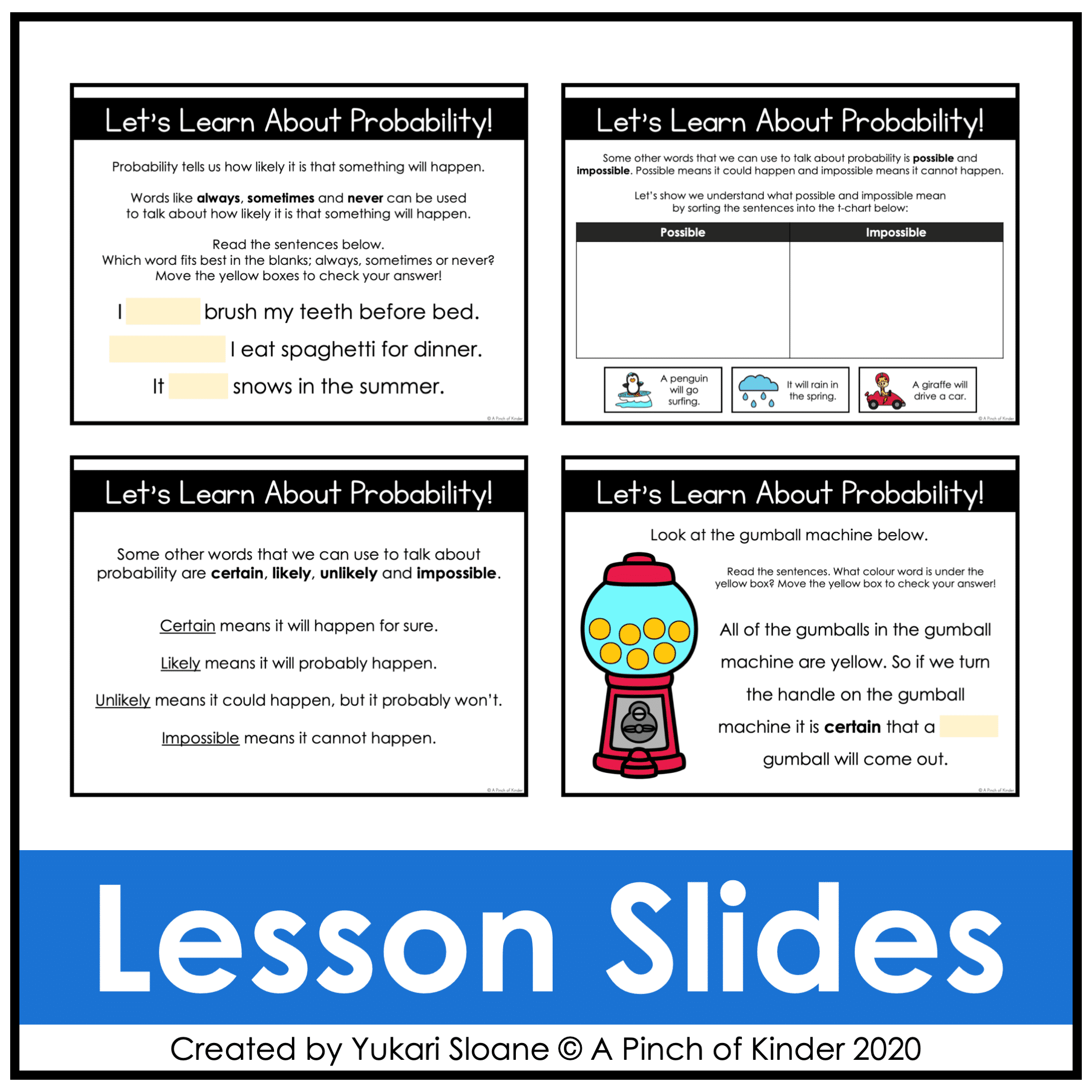
⭐ Lesson Slides: Probability Vocabulary (Slides 1–3)
Introduce and teach what probability means
The probability words:
- Always
- Sometimes
- Never
- Possible
- Impossible
👆 Use these slides for direct instruction before independent practice.
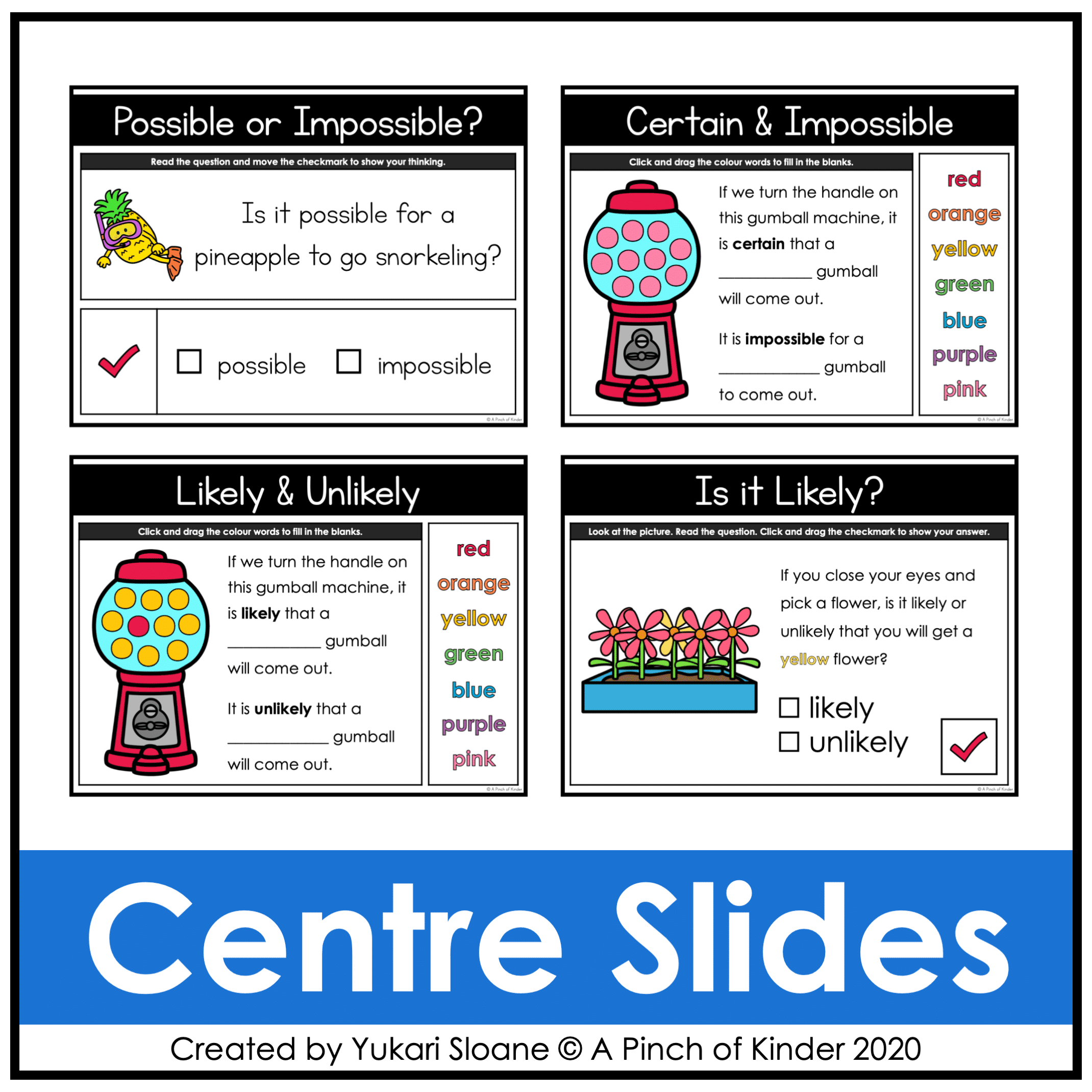
⭐ Possible or Impossible? (Slides 4–12)
Students:
- Read a question about a real-life situation
- Decide whether the event is possible or impossible
- Drag the checkmark to the correct answer box
Builds early reasoning about everyday events.
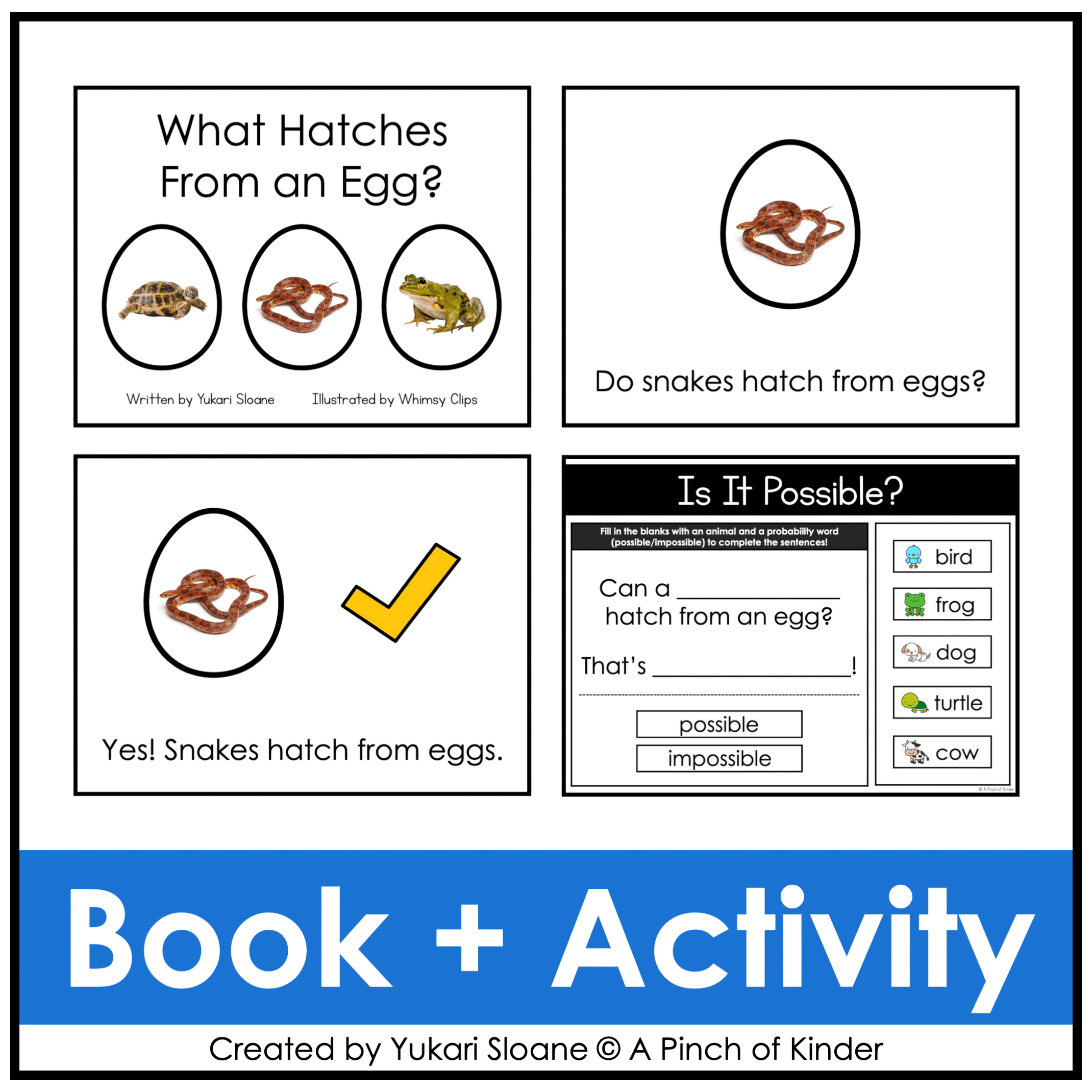
⭐ Read-Aloud: What Hatches From an Egg? (Slides 13–31)
An interactive digital book that builds schema about animals that hatch from eggs.
Students learn examples that prepare them for the probability activity that follows.
⭐ Is It Possible? (Slides 32–33)
Students: Complete the sentence using an animal name and probability word
Example: Can a ______ hatch from an egg? That’s ______.
Students practice deciding whether events are possible or impossible.
⭐ Lesson Slides: Likelihood Vocabulary (Slides 34–38)
Introduce the probability words:
- Certain
- Likely
- Unlikely
- Impossible
These slides help students understand that some events are more likely than others.
⭐ Certain & Impossible (Slides 39–42)
Students:
- Look at a gumball machine
- Analyze the colours inside
- Complete sentences by typing the correct colour words
Example: A red gumball is ______.
Builds understanding of certain vs. impossible events.
⭐ Likely & Unlikely (Slides 43–46)
Students:
- Analyze gumball machine probability
- Determine which outcomes are likely or unlikely
- Complete probability sentences
Encourages reasoning based on visual data.
⭐ Is It Likely? (Slides 47–52)
Students:
- Look at real-life pictures
- Read a probability sentence
- Drag the checkmark to likely or unlikely
This activity helps students apply probability language to everyday situations.
Skills Students Develop:
- Using probability vocabulary correctly
- Predicting possible outcomes
- Understanding certain vs. impossible events
- Comparing likely and unlikely outcomes
- Explaining probability reasoning
- Connecting probability to real-life situations
Why Teachers Love This Resource
✔ No prep — just assign or project
✔ Engaging drag-and-drop format
✔ Introduces probability vocabulary in a visual way
✔ Encourages discussion and mathematical reasoning
✔ Works for in-person OR digital classrooms
✔ Ontario-aligned
Curriculum Alignment (Ontario 2026)
This resource has been reviewed and confirmed to align with the 2026 Ontario Kindergarten Math Curriculum.
Tech Tips:
- Use in EDIT mode (not Present mode) so movable pieces work.
- If assigning in Google Classroom, students using iPads/tablets must have the Google Slides app installed to manipulate pieces.
- You may also download the slides as a PowerPoint file to use on a SMARTBoard.
Spelling Options:
Two versions are included:
- Canadian spelling (colour)
- American spelling (color)
Choose the version that works best for your classroom.
Try Before You Buy!
Not sure if this format works for you?
Grab my FREE Digital Math for Kindergarten | Tally Marks | Google Slides™ to try it for free first.
If you love this resource, be sure to check out my other Digital Math for Kindergarten activities or my complete year-long digital math program💛
Only logged in customers who have purchased this product may write a review.



Reviews
There are no reviews yet.